
MediaPath supports different types of app install campaigns which include:
- Google’s Universal App Install Campaigns
- Programmatic App Install Campaigns
- Facebook App Install Campaigns
Programmatic App Install Campaigns are app install ads shown across various marketing channels such as Display, Video, Native, and OTT/CTV marketing channels, where users are then directed to install the app from the app store.
Before You Start #
Learn about MediaPath’s pre-requisites for creating them.
Instructions #
1. Launch a new Campaign #
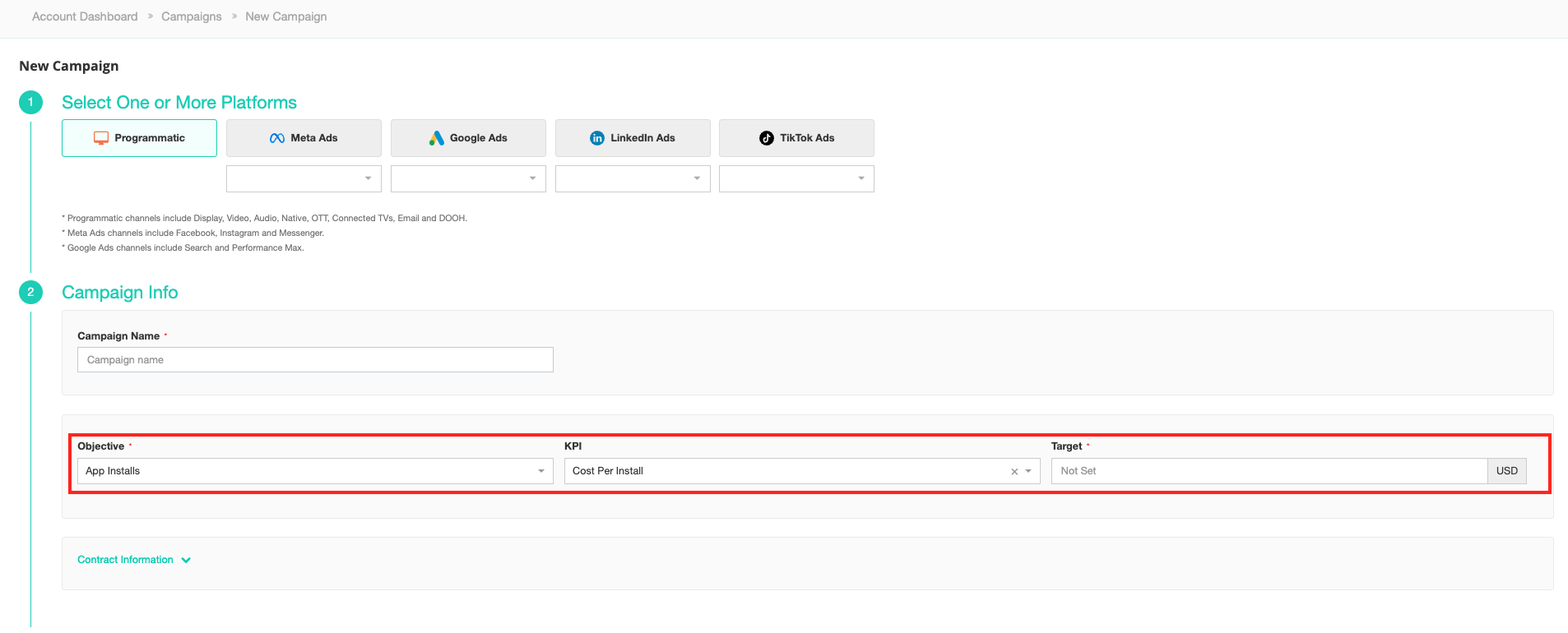
- Select Programmatic as a platform and set the campaign objective to App Installs.
- Select the Advertiser Account.
- Select the KPI as Cost Per Install and key in KPI Amount.
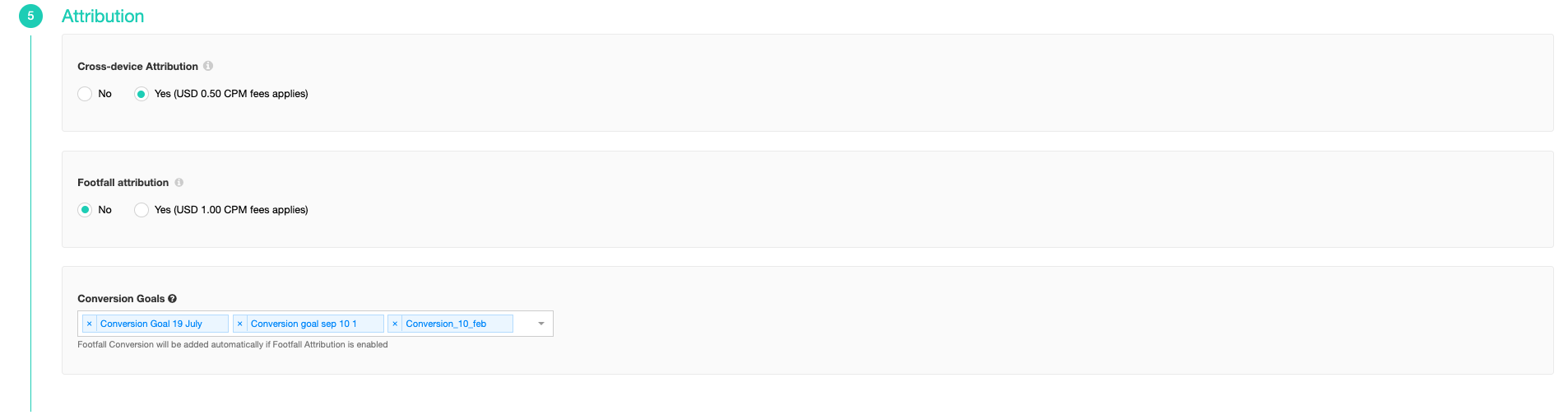
- You need to specify at least one app install conversion goal for your campaign.
- All conversions created for programmatic channels will appear in the dropdown list
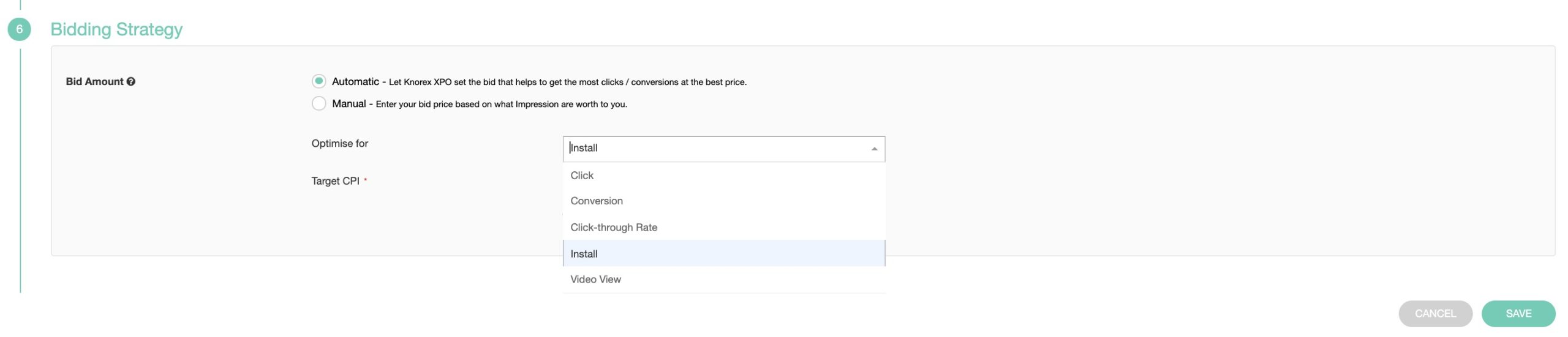
2. Create a Programmatic Ad Group for this campaign.
 #
- The required Bidding Strategy is Cost per install
3. Save the Ad Group. #
4. Create App Install Programmatic Creative. #
Accepted creative size formats for these app install campaigns are:
- 320px x 480px
- 320px x 50px or/and
- 300px x 250px


