
This feature is only applicable to Facebook campaigns.
MediaPath supports different types of app install campaigns which include:
- Google’s Universal App Install Campaigns
- Programmatic App Install Campaigns
- Facebook App Install Campaigns
In MediaPath, you can create a Facebook app install campaign to drive more people to install your app and optimize for app events. These ads appear on feeds, where users will be redirected to install your app from the stores.
Before You Start #
Learn about MediaPath’s pre-requisites for creating App Install Campaigns.
Instructions #
1. Launch a new Campaign #
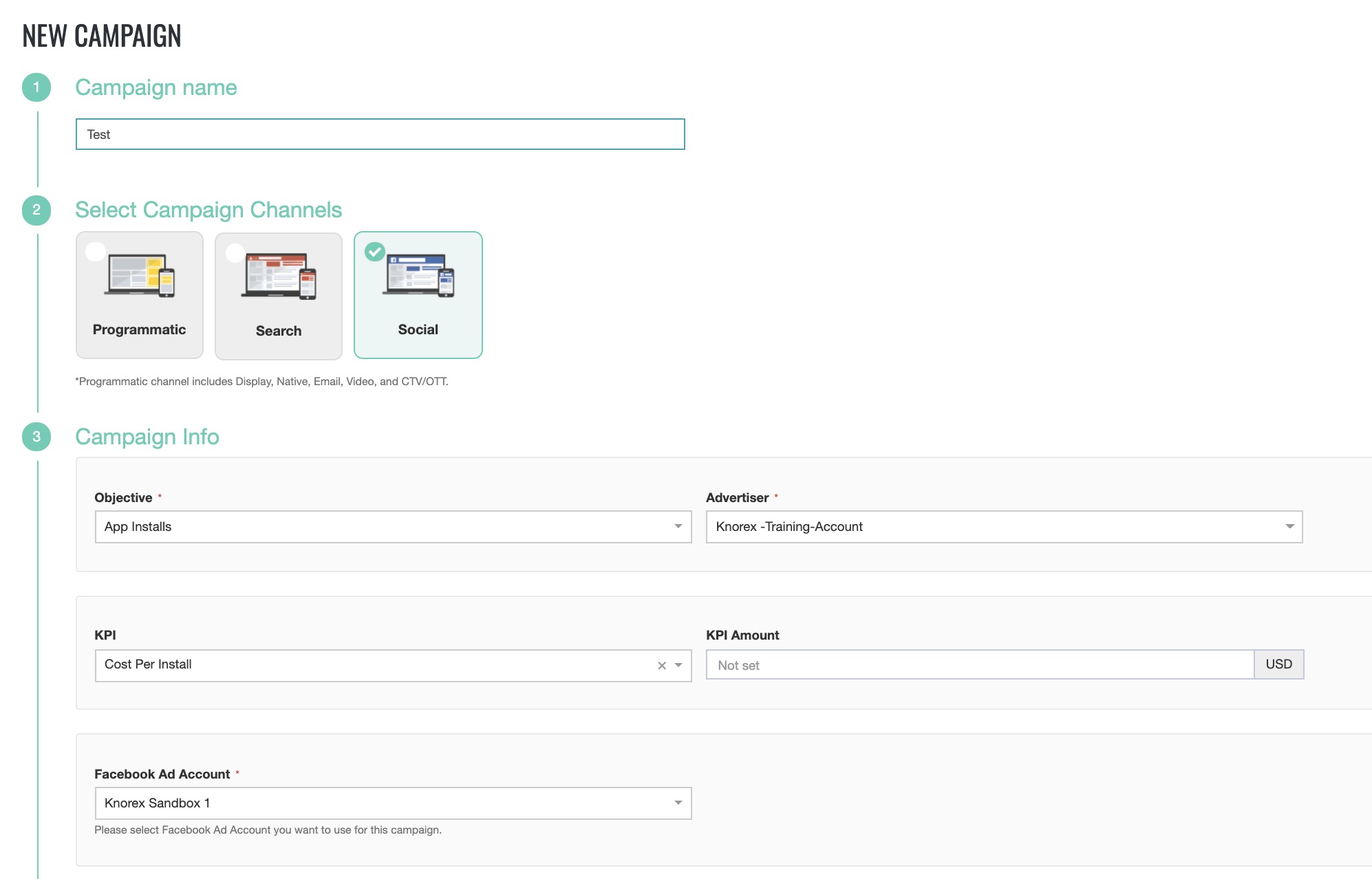
Select Meta Ads as your campaign platform, choose your preferred Meta Ads account, and designate the campaign objective as App Install. Then, set your KPI as Cost Per Install.
2. Create a Facebook Ad Group for this campaign. #
- MediaPath supports 6 different app stores.
- Search for the app name or app store URL.
- You can select only one app store and one app per ad group.
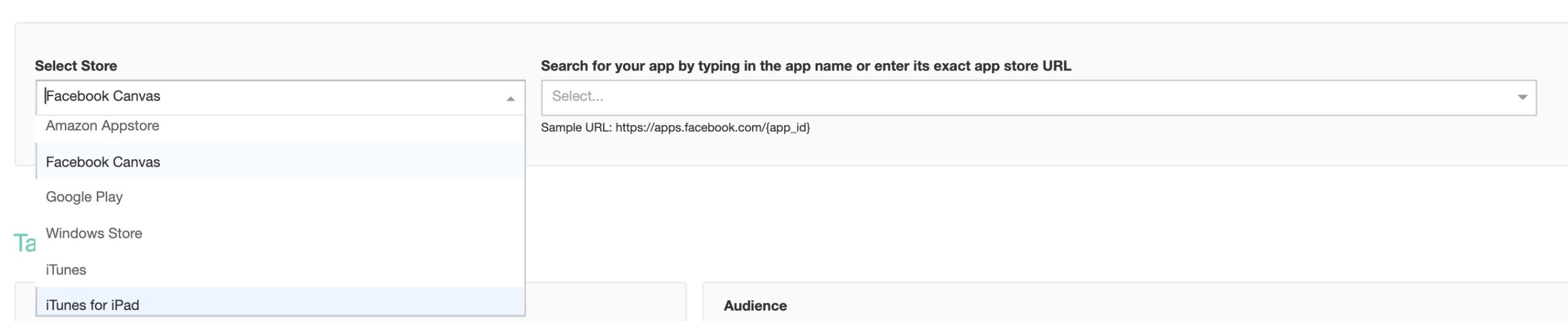
(click image to view)
| No. | APP STORE | DEVICES & OPERATING SYSTEMS |
| 1 | Google Play | Android Devices only. When creating the ad group, the default device is set to Android smartphones and tablets. You can choose to include or exclude device models, operating systems versions, and/or whether the device should be connected to WiFi only. These options are available under ad group settings. |
| 2 | iTunes | iOS devices only.You can choose to include or exclude apple device models, operating systems version and/or whether the device should be connected to wifi only. |
| 3 | iTunes for iPad | All iPad device generations and operating systems. |
| 4 | Windows Store | Window devices only.You can choose to include or exclude all Windows app. |
| 5 | Facebook Canvas | This store supports all mobile devices. |
| 6 | Amazon Appstore | Android Devices only. From the two options, android smartphones and tablets, at least one has to be selected.You can choose to include or exclude device models, operating systems version and/or whether the device should be connected to wifi only. |
3. Ad Group Bidding Strategy #
There are 3 types of strategies:
| Strategies For Optimization | Conversion Window | When You Get Charged |
| App Events (Purchase, Initiate Checkout or Achieve Level/specific goals set within the app) | 1 day after the click7 days after the click1 day after clicking or viewing the ad7 days after clicking or 1-day after viewing | Impressions (CPM) |
| App Installs | 1 day after the click1 day after clicking or viewing the ad | Impressions (CPM)App Installs |
| Link Clicks to your Website | N/A | Impressions (CPM)Link Click (CPC) |
4. Save the Ad Group. #
5. Create an App Install Facebook Creative. #
Facebook supports the following creative types for app install campaigns:
- Carousal Creative
- Single Image Creative
- Video Creative
- Slideshow Creative
Get the specifications for the creatives here.


