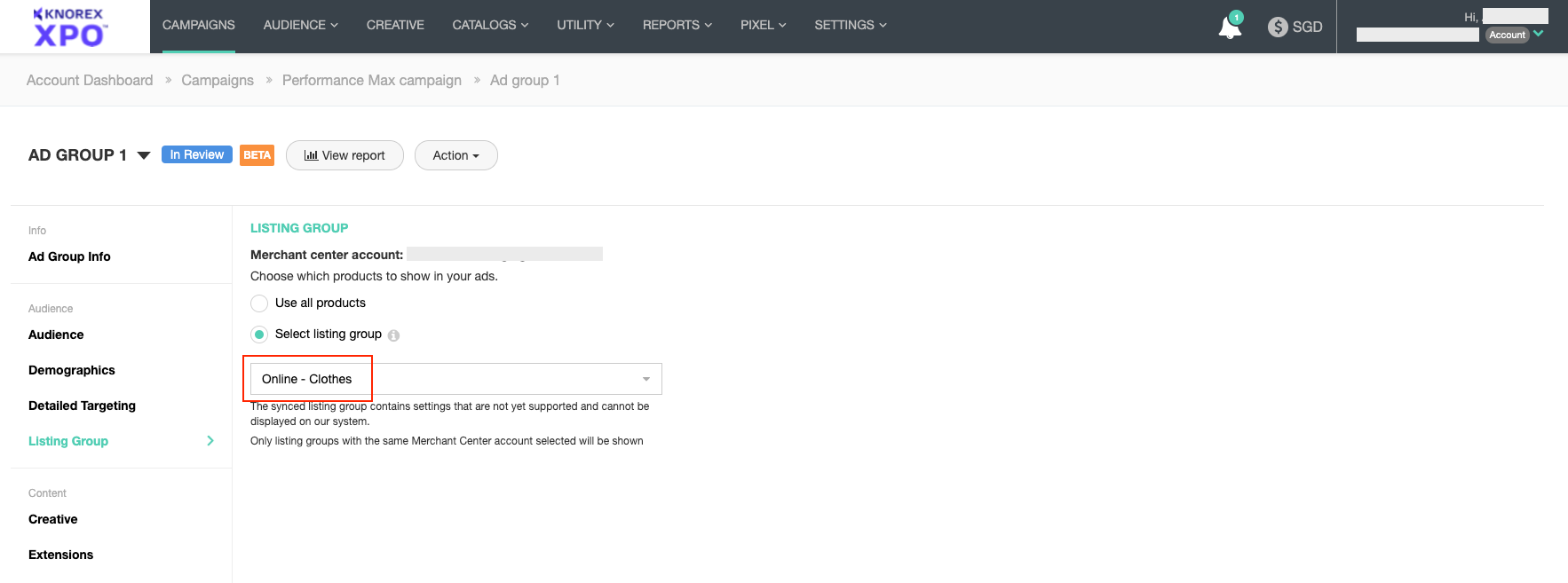
A Listing Group is a set of rules and conditions that can be applied to the product feed an ad group receives from its assigned Google Merchant Center. This way, if desired, an ad group can work with a smaller, more specific subset of products instead of the full range of products received from the Google Merchant Center.
Learn about the prerequisites and guide to advertise your products using Google’s Performance Max campaigns in MediaPath.
Instructions #
Under Account Dashboard > Top Menu > Catalogs > Listing Groups, navigate to the Listing Groups page. From that page, click on “+Listing Group”.
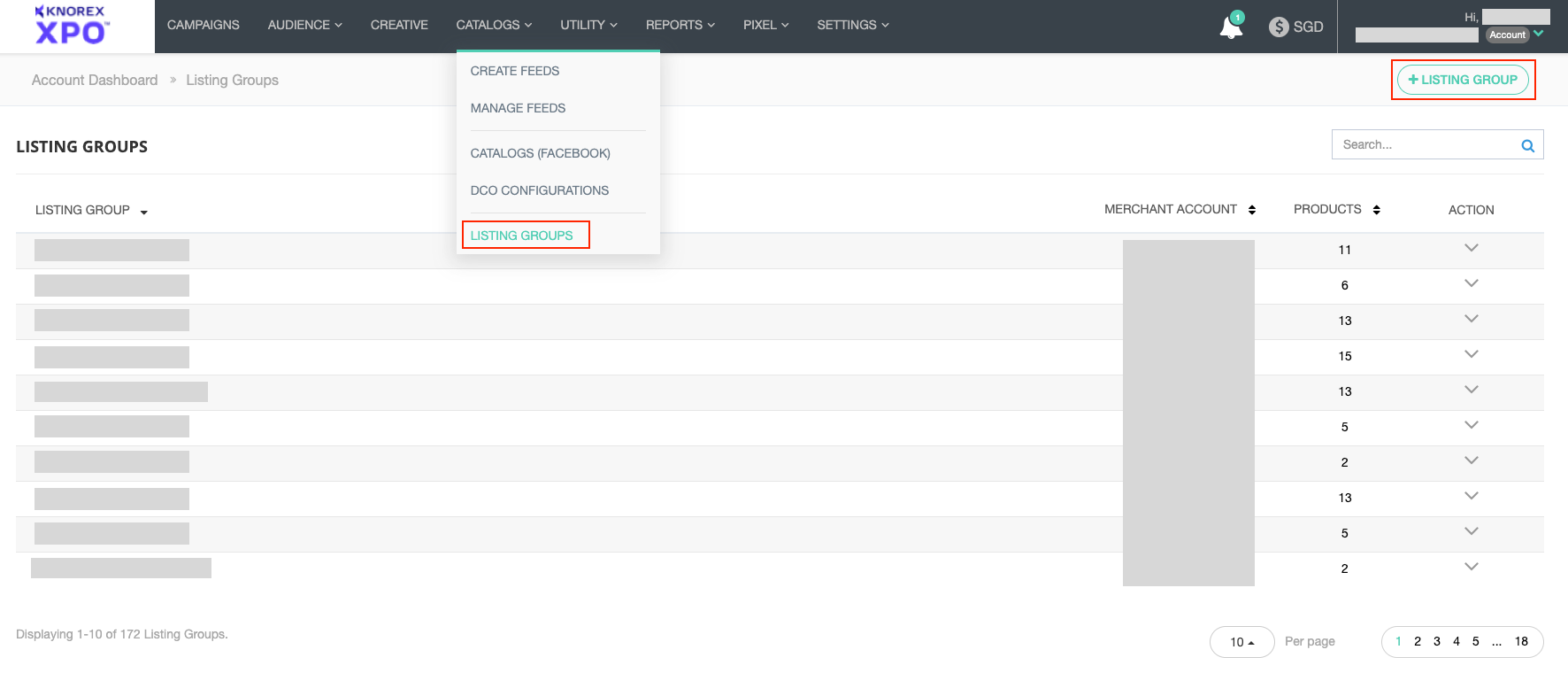
Here’s what a Listing Group looks like in MediaPath.
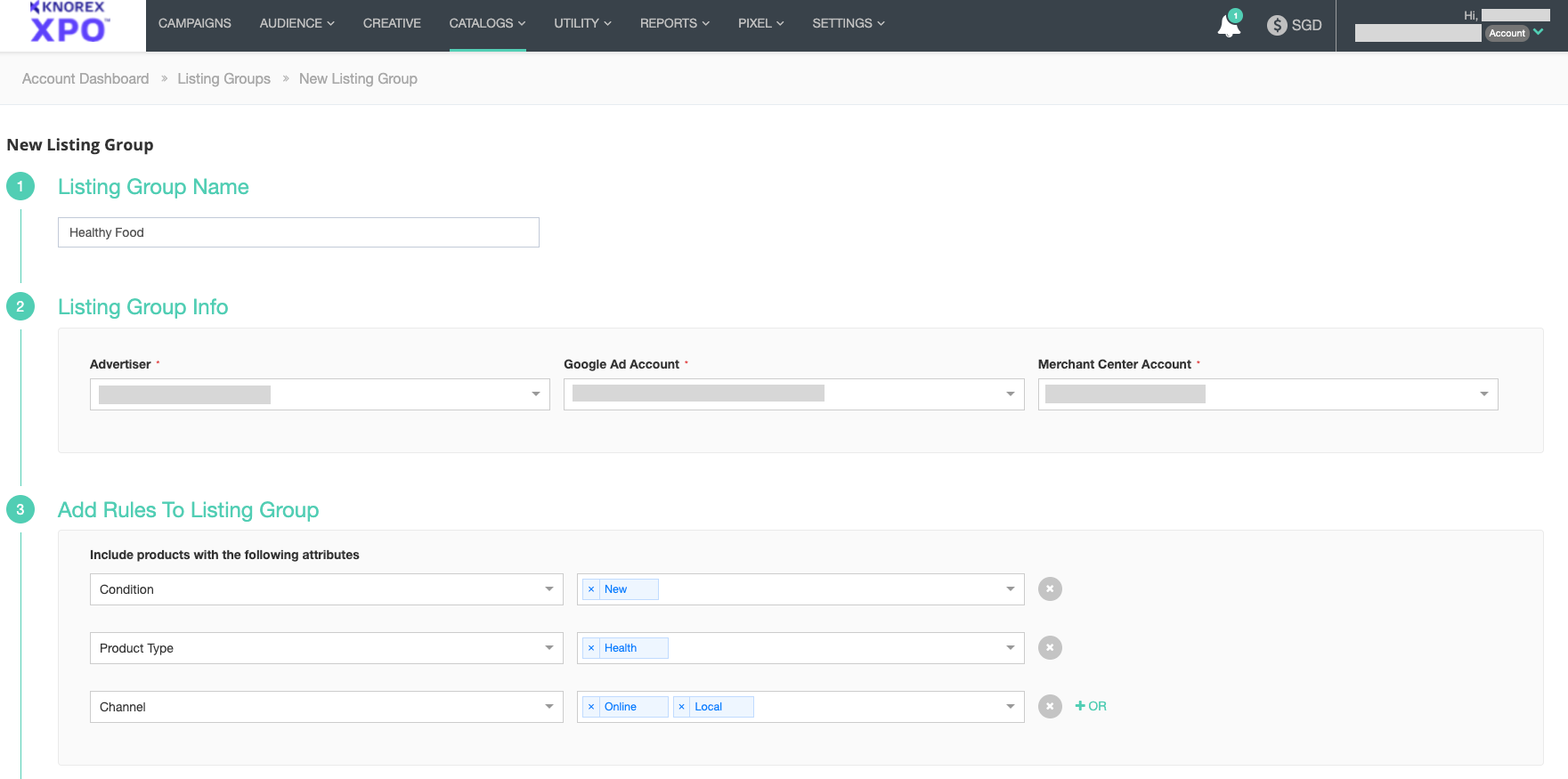
You can choose each attribute (category, condition, product type, channel…) only once within a Listing Group. For each attribute, at least one value must be provided.
For example, you can choose “online” and “local” values for the Channel attribute; “New” for the Condition attribute ; and “dresses”, “T-shirts”, and “glasses” values for the Product Typeattribute. The resulting Listing Group will only contain new dresses, T-shirts and glasses from online and local stores.
Listing Groups usage #
Listing Groups can be selected directly from the Performance Max ad group creation/edit page.